Logging in to
Cannelle.
Introduction
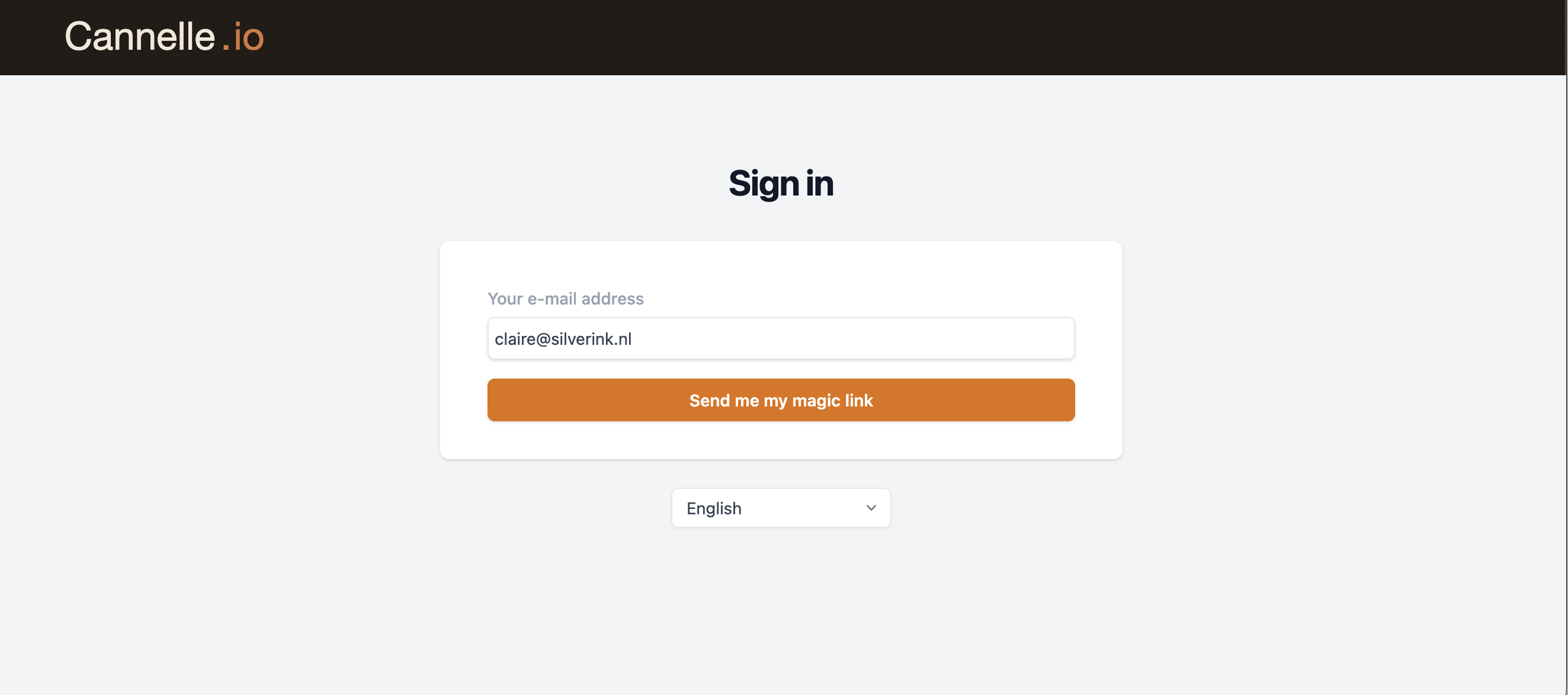
One of the first things you will notice when you open Cannelle is that there is no password field on the login page. No "Forgot your password?" link, no "Create a password" step when you join — just your email address and a button that says Send me my magic link.
This is a deliberate choice. In this post we want to explain how signing in works, why we think it is a better experience than passwords, and what you can expect every time you log in to Cannelle.
What is a magic link?
A magic link is a one-time login link sent straight to your inbox. When you enter your email and click the button, Cannelle sends you an email containing a secure link. Click it, and you are in — no password needed, ever.
You may already know this pattern from services like Slack or Notion. It is simple, fast, and — as we will explain below — meaningfully more secure than a traditional password.
| passwords | magic links | |
|---|---|---|
| Getting in | Create, remember, and type a password | Enter your email, click the link |
| Locked out? | Trigger a "forgot password" flow | Just request a new link |
| Can it be stolen? | Yes — passwords leak all the time | No — each link works once, then expires |
| Reused across sites? | Very common, very risky | Not applicable |
| Onboarding new colleagues | They need to invent a password | They get an invite link, click, done |
Logging in, step by step
The whole thing takes under a minute. Here is what happens.
// the login flow
Go to the login page
Open your Cannelle workspace and you will land straight on the login screen.
Enter your email
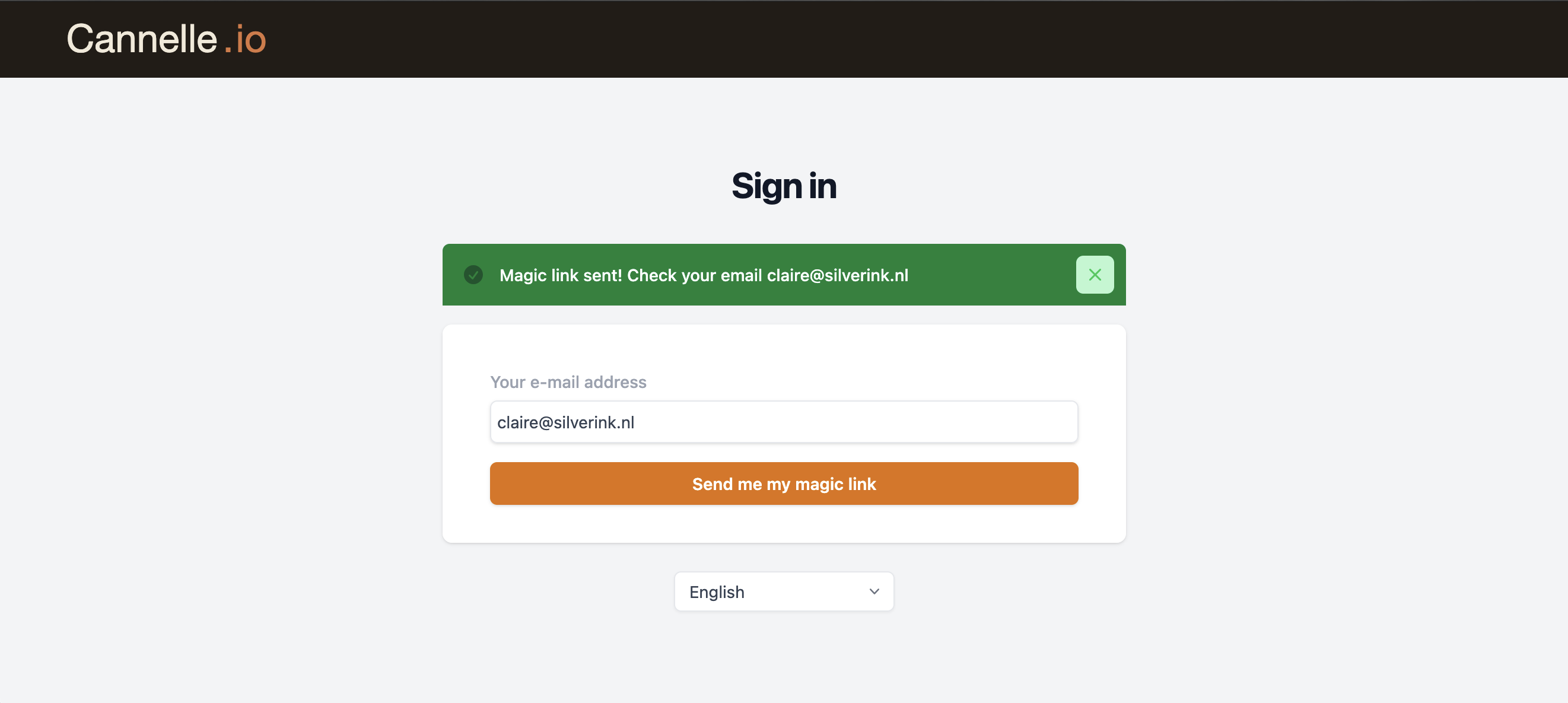
Type the email address you use for Cannelle and click "Send me my magic link". That is it — no password to type.
Check your inbox
An email from Cannelle arrives within seconds. If it does not appear, check your spam folder. If you did not request the link yourself, you can safely ignore the email — nothing happens to your account.
Click the button in the email
The link is valid for 30 minutes and works only once. Click it and Cannelle logs you in immediately.
You are in
You land on your dashboard and stay logged in for 30 days. As long as you use Cannelle regularly, you will rarely need to log in again.
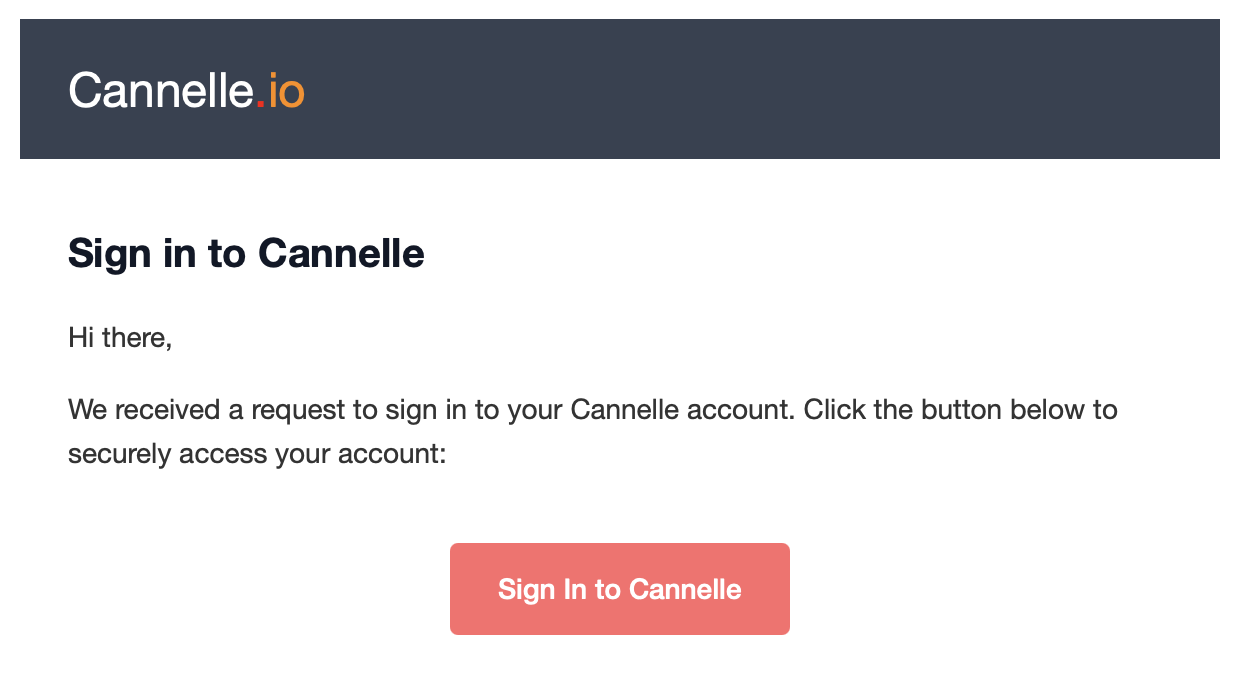
What the email looks like
The email is kept deliberately short. There is one button — "Sign In to Cannelle" — and a brief reminder that the link expires in 30 minutes and can only be used once. No attachments, no marketing, nothing to read.
// a few things worth knowing
The link expires after 30 minutes — If you take too long, just go back to the login page and request a fresh one — it only takes a few seconds.
Each link works once — Once you have clicked it, the link is gone. If you click it again by mistake, simply request a new one.
Did not request it? — If you receive a magic link email you did not ask for, ignore it. Someone may have mistyped their email. Your account is unaffected.
Check your spam folder — Occasionally magic link emails land in spam, especially on a first login. Adding the sender to your contacts prevents this going forward.
Why no passwords?
Passwords cause a lot of friction. People forget them, reuse them across services, and choose ones that are easy to guess. When a password leaks from one website — which happens more often than most people realise — attackers try it everywhere else. If you used the same password for Cannelle as for another service, your account could be at risk through no fault of your own.
Magic links remove all of that. There is nothing to forget, nothing to reuse, and nothing to leak. If you can read your email, you can get into Cannelle — it is as simple as that.
For teams, this also makes day-to-day life easier. New colleagues join without having to invent a password. Nobody gets locked out on a Monday morning because they forgot what they set three months ago. And when someone leaves, you simply deactivate their account — no passwords to chase down or revoke.
// one thing to keep in mind
Because Cannelle sends login links to your inbox, the security of your Cannelle account is tied to the security of your email. We recommend using a work email account — ideally one with two-step verification turned on — rather than a personal address.
How long does a login last?
Once you have clicked the magic link, Cannelle keeps you logged in for 30 days. As long as you use the app regularly, that session renews automatically — you will not suddenly find yourself logged out in the middle of a working day.
// good to know
You stay logged in for 30 days
Your session renews automatically while you are active, so you are not interrupted during the working day
Multiple devices work fine
You can be logged in on your laptop and your phone at the same time — each device has its own independent session
Logging out
Use the menu in the top-right corner to sign out. Your session is ended immediately on that device
Forgot to log out?
Sessions expire on their own after 30 days of inactivity, so old devices do not stay accessible indefinitely
Logging in to Atelier
Atelier is the portal your clients and freelancers use to exchange messages, share files, and stay up to date on their projects. It uses exactly the same magic link approach — no passwords there either.
Getting access for the first time
You invite a client or freelancer directly from their record in Cannelle. They receive an email with a personalised link — clicking it opens their Atelier account straight away, no setup required.
Coming back later
On their next visit, they simply enter their email on the Atelier login page and receive a new magic link. Their session lasts 90 days, so clients who check in occasionally will rarely need to log in again.
// further reading